
Treebar
Your coding agents, changes, and next steps in sight.
By Cory Parry · Updated
Free to download. Track three worktrees and scan supported caches for free; optional Treebar Pro unlocks unlimited worktrees, checkpoints, reviewed recovery, and cleanup.
About the project
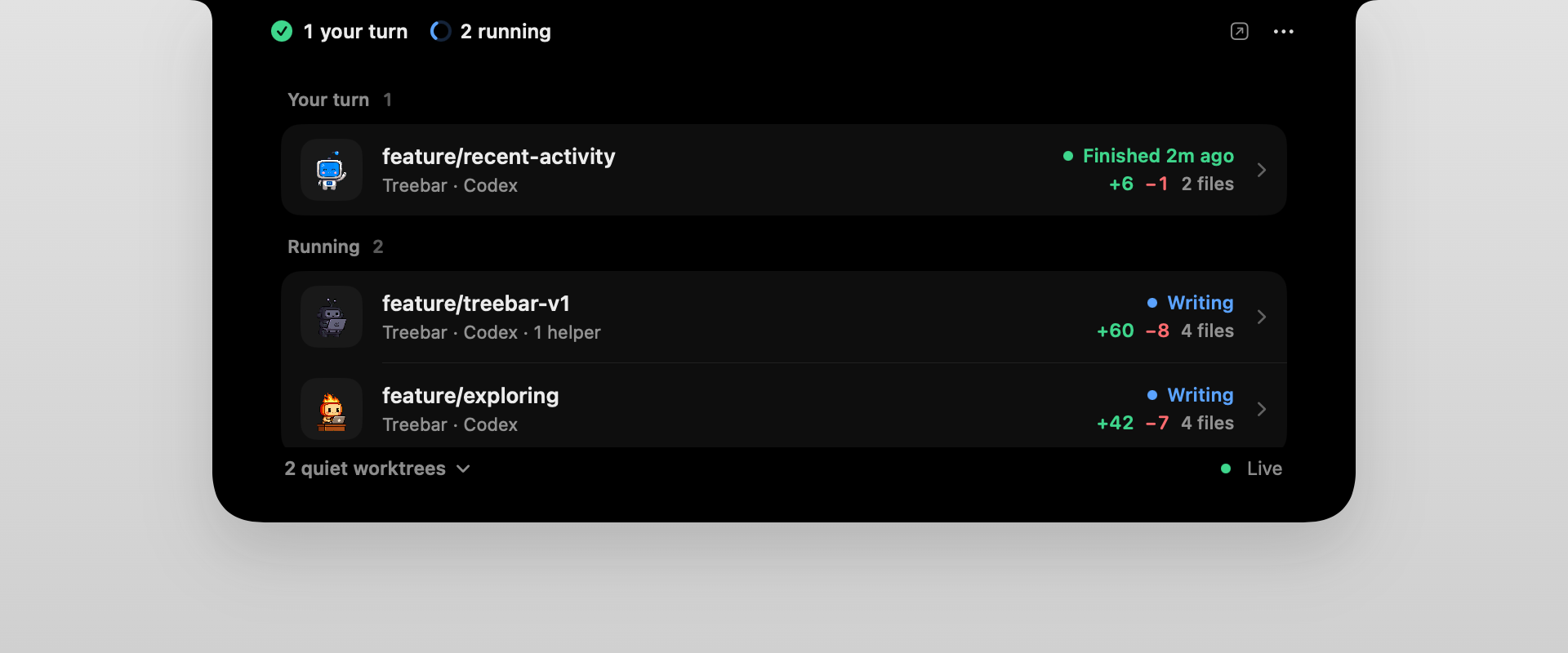
I built Treebar to make local coding activity easier to follow. Its agent inbox brings Codex and Claude Code runs together, showing what needs your review, what is running, and what is quiet. You can inspect changed files and Git worktrees from the notch, menu bar, or app window, with History and developer storage tools close by.
Know what needs you
See which Codex and Claude Code runs need your review, which are running, and which are quiet. Open a run to inspect its files and recent activity.
Revisit the changes
History brings saved changes and recovery together. Pro adds local checkpoints and reviewed recovery for supported project folders.
Make room to build
Scan supported developer caches and merged, inactive worktrees. Pro cleanup follows your review; selected caches move to Trash, while worktree cleanup removes the selected checkout.
Who is Treebar for?
Treebar is for Mac developers working with local Codex or Claude Code runs and Git worktrees. It helps you notice when an agent needs attention, inspect changes, and return to saved work without repeatedly switching between repositories.
Install Treebar
- Install Treebar from the Mac App Store and open it.
- Choose the folders Treebar needs to monitor using the macOS folder pickers.
- Open the agent inbox from the notch, menu bar, or app window. Choose a run to inspect its activity and changed files.
Follow your coding agents
- Run Codex or Claude Code against your local projects.
- Check the agent inbox for runs that need your review, are running, or are quiet.
- Open a run to inspect its Git changes. Use History for saved versions and review the scope before applying recovery or cleanup.
Requirements and limitations
- macOS 14 or later.
- Local coding-agent activity and project folders you grant access to.
- A physical notch is optional; the menu bar and app window provide alternatives.
- Manual recovery requires Pro, supported local APFS storage, separate write access, and a quiet, unchanged project.
Version 1.0.7 is the current Mac App Store release checked on 10 October 2026. Worktree monitoring and Git inspection are local and read-only. Agent monitoring does not display or retain conversation content. History captures eligible saved files from folders you explicitly protect; unsaved editor changes are excluded. Cleanup and recovery can change files and require review. Worktree cleanup permanently removes the selected checkout while preserving its branches and commits.
Read the current Treebar product guide ↗Tidy up: review developer storage
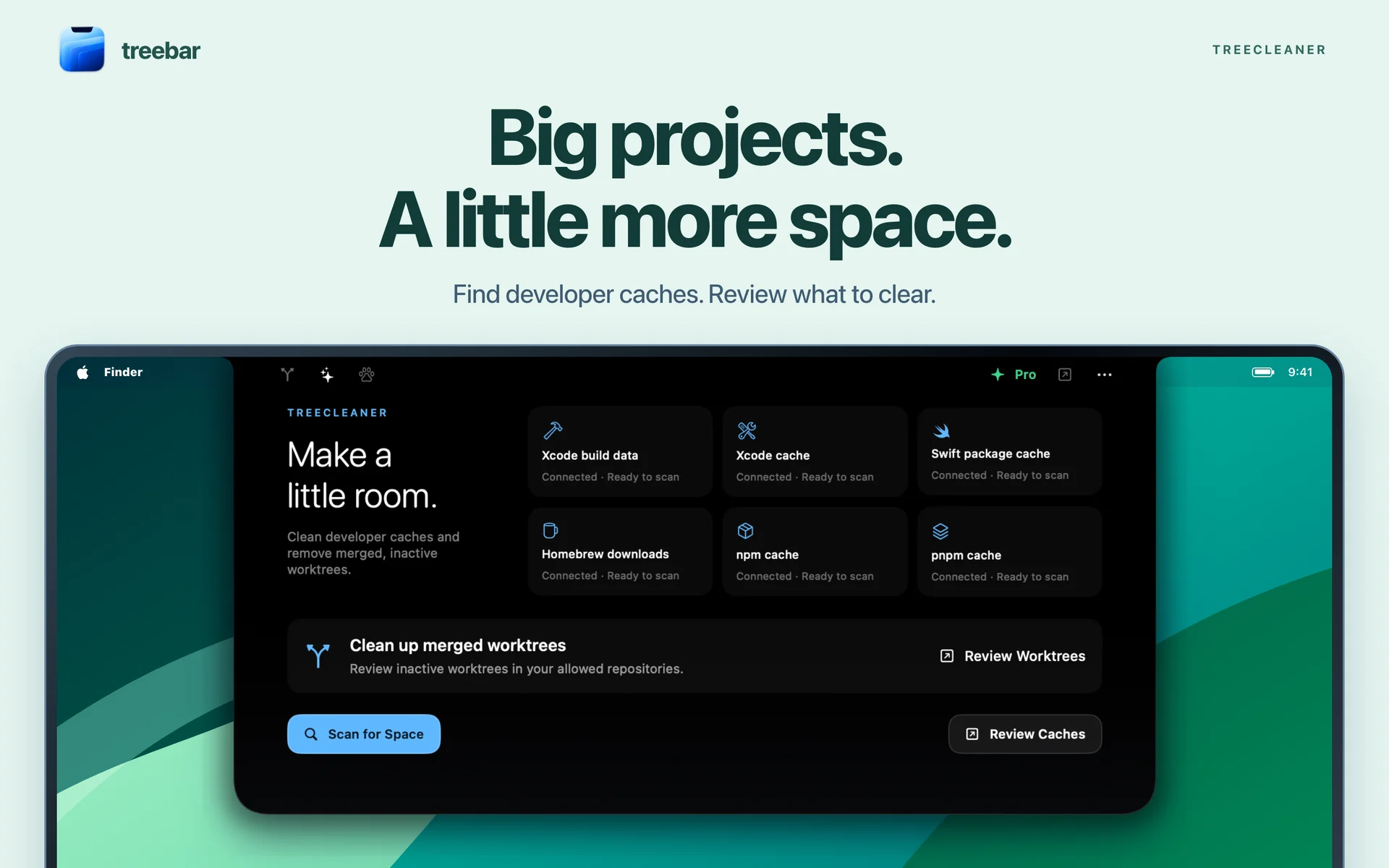
Treebar 1.0.7 includes developer cache scans and merged-worktree review. Scanning is free; Pro unlocks reviewed cleanup. Selected caches move to Trash, while worktree cleanup permanently removes the selected checkout and preserves its branches and commits. The screenshot below shows an earlier interface.
Coding agents, Git worktrees, and Mac storage: common questions
What is a Git worktree, and why do coding agents use one?
A Git worktree is a separate working directory attached to the same repository. Each worktree can have its own checked-out branch, so different tasks can run without repeatedly switching one checkout’s files. Coding agents can use worktrees to keep tasks separate; Treebar shows their local activity and Git changes together.
How can I follow Codex and Claude Code runs on a Mac?
Treebar’s agent inbox groups local runs by what needs your review, what is running, and what is quiet. Open a run to inspect its working files, branch, Git changes, and recent activity. You can use the notch, menu bar, or app window. The free download tracks up to three worktrees; Pro unlocks unlimited worktrees.
Why do Git worktrees take up space on my Mac?
Linked worktrees share the repository’s Git data, but each has its own working files. Dependencies and build output created in separate worktrees can also occupy space. Removing an unused worktree can recover its working-directory space; it does not necessarily remove shared caches elsewhere on the Mac.
How does Treebar help with Mac developer storage?
Treebar scans Xcode build data and caches, Swift packages, Homebrew downloads, npm and pnpm caches, and merged, inactive worktrees. Scanning is free; Pro enables reviewed cleanup. Selected caches move to Trash. Worktree cleanup permanently removes the selected checkout while preserving its branches and commits, so review the scope and keep any work you need before proceeding.
What should I check before removing an old worktree?
Check that the task has stopped, no process is using the directory, and any work you need is committed or otherwise preserved. Review uncommitted and untracked files before removal. Treebar’s cleanup targets merged, inactive worktrees and preserves branches and commits. Removing a checkout and deleting a branch are different actions.
Does Treebar read my conversations or change my files?
Worktree monitoring and Git inspection stay local and read-only; agent monitoring does not display or retain conversation content. History saves eligible files only from folders you explicitly protect. Pro recovery and cleanup are separate actions that can change files and require review and the relevant write access. Unsaved editor changes are not included in checkpoints.
Sources and further reading
- Treebar: current Mac App Store release and compatibility
- Treebar product website
- Git documentation: worktrees and removal
Written by Cory Parry, the developer of Treebar. Release details and requirements can change; use the linked project documentation for the latest information.